





Featured

Launch your own OpenClaw agent in one click logoLaunch your own OpenClaw agent in one click

A live, always-on OpenClaw agent that handles your tasks around the clock. No servers, no setup — pick a model, connect Telegram, and it starts working.

Try it for free
SetupClaw: done-for-you OpenClaw for founders & exec teams logoSetupClaw: done-for-you OpenClaw for founders & exec teams

White-glove OpenClaw for founders and exec teams (4–50+ employees): we install, harden, integrate your tools, and maintain it — secured from day one.

Get it set up for you
One API to scrape, enrich, and extract the internet. logoOne API to scrape, enrich, and extract the internet.

Context.dev gives your agents a single API to scrape, enrich, and extract live web data — no proxies, no parsers, no maintenance.

Start building free
CLN.Work — Stop prompting, start hiring AI employees logoCLN.Work — Stop prompting, start hiring AI employees

Turn your Claude agents into a real team — onboard them, assign tasks, and manage them like staff.

Hire AI employees
Launch OpenClaw or Hermes on Hostinger in 60 seconds logoLaunch OpenClaw or Hermes on Hostinger in 60 seconds

Your OpenClaw or Hermes agent, live around the clock on a Hostinger VPS. Set up in about 60 seconds, from a few dollars a month, with 20% off through this link.

Launch on Hostinger
Launch your OpenClaw wrapper and start making money today logoLaunch your OpenClaw wrapper and start making money today

Auth, billing, and AI already wired in. Skip months of boilerplate and get paying customers now, not next quarter.

See the kit
Google Maps MCP logo

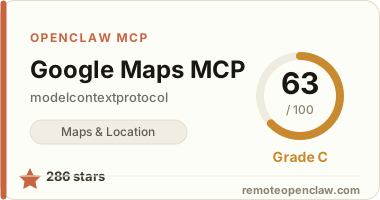
Google Maps MCP

modelcontextprotocol/servers-archived
286 starsSTDIORegistry activeMITUpdated 2025-05-28Official

Works with

Claude CodeClaude DesktopCursorVS CodeClineCodex CLIOpenClaw+ any MCP client

Install to Claude Code

claude mcp add google-maps -e GOOGLE_MAPS_API_KEY=YOUR_KEY -- npx -y @modelcontextprotocol/server-google-maps

Summary

Server The official Model Context Protocol reference server for the Google Maps Platform. It gives agents structured access to Google Maps geospatial data.

Connect from your MCP client

Claude Code

Run this once and Claude Code registers the server for you:

claude mcp add google-maps -e GOOGLE_MAPS_API_KEY=YOUR_KEY -- npx -y @modelcontextprotocol/server-google-maps

Configuration

Google Maps MCP reads the following environment variable:

VariableRequired
GOOGLE_MAPS_API_KEYRequired

Overview

Google Maps MCP Server

The official Model Context Protocol reference server for the Google Maps Platform. It gives agents structured access to Google Maps geospatial data.

Tools

  • maps_geocode — Convert an address into latitude/longitude coordinates.
  • maps_reverse_geocode — Convert coordinates back into a human-readable address.
  • maps_search_places — Text search for places (optionally within a radius of a location).
  • maps_place_details — Retrieve details, reviews, and contact info for a place.
  • maps_distance_matrix — Compute travel distance and time between origins and destinations.
  • maps_elevation — Get elevation data for locations.
  • maps_directions — Get turn-by-turn directions between two points.

Configuration

Set GOOGLE_MAPS_API_KEY to a key from the Google Cloud console with the relevant Maps Platform APIs enabled. This server now lives in the archived reference-servers repository but remains fully functional.

See related servers & alternatives →

Related guides

Hand-picked reading to help you choose and use Maps & Location servers.